Your library, on the big screen.
Connect your existing Immich server, browse albums and favorites, and open the photos you love. FrameNook does not provide or replace an Immich server.
For the moments worth keeping
Bring your Immich photo library or a USB drive to your Samsung TV. Pick an album, settle in, and enjoy the view.
Browser preview uses sample photos. Samsung TV Store release is pending.
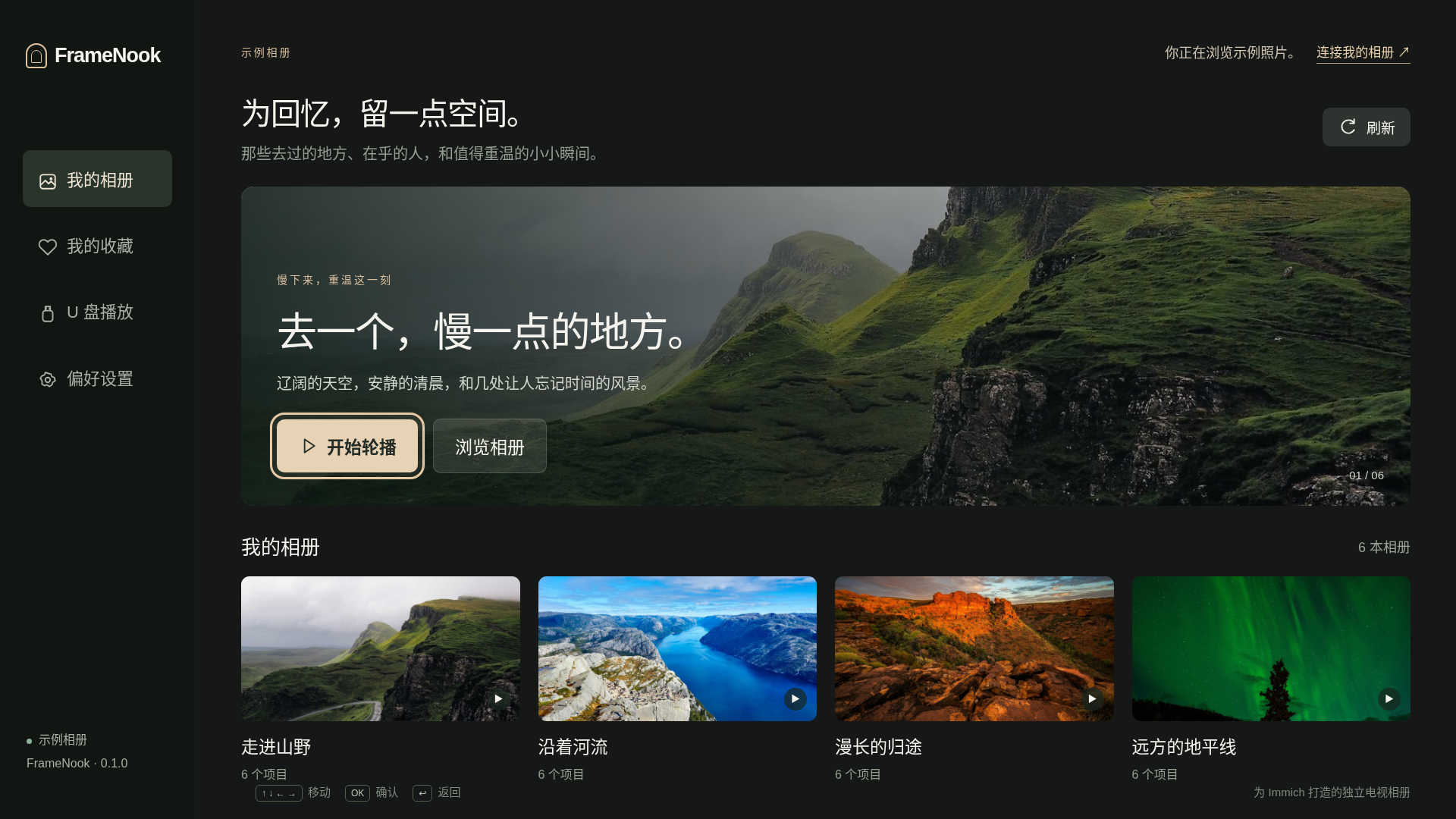
Actual interface · Sample library shown in Chinese · English also available
Less setup. More remembering.
You only install an app on your TV. Your phone browser can help you connect; no companion phone app is required.
Connect your existing Immich server, browse albums and favorites, and open the photos you love. FrameNook does not provide or replace an Immich server.
Open a connected USB drive and choose a photo or video. Basic single-file playback works offline, without an account or a media server.
Large text, visible focus and familiar arrow, OK and Back controls. Choose a slideshow speed and show the whole photo or fill your screen.

Your photos stay yours
Immich sends photos directly to your TV. USB files stay on the drive. Our pairing service briefly relays encrypted connection details; it does not host your photo library.
FrameNook reads your media. It does not upload, edit or delete it.
Read the privacy details →Simple by design
The commercial version is in preparation. These are the planned terms; the current preview does not accept payments.
Free
$4.99 USD / one TV
Pay once. No subscription or automatic renewal.
Pro requires an internet check at least every 7 days. Trial access can be cached for up to 1 day. Basic USB single-file playback stays available offline. Moving a purchase deactivates its previous installation when it next verifies access or its cached access expires.
A few good questions
On your own Immich server or USB drive. The TV temporarily loads photos to display them. We do not provide cloud photo storage or a photo upload service.
The preview targets Tizen 6.5 or newer (2022 and later). Basic photo-library and USB flows have been tested in official 2022–2026 Samsung emulators. Physical TV and commercial billing compatibility validation are still pending. USB video formats depend on your model. Store availability will list the supported models when released.
No. FrameNook is a photo-viewing app that runs while open. It does not replace Samsung Art Mode, the TV home screen or the system screensaver.
Not yet. Payments are disabled in the preview and the Samsung TV Store listing has not been released. The preview lets you review the interface; it is not a store installation.
No. The USB source works independently. Pro continuous folder playback will require occasional internet access for purchase or trial verification, but your USB files are never uploaded.